
Helping teachers design high-quality AI lesson plans
EduSeek is an all-in-one B2B platform for schools that aims to save teachers time through AI integration while maintaining a high quality of education.
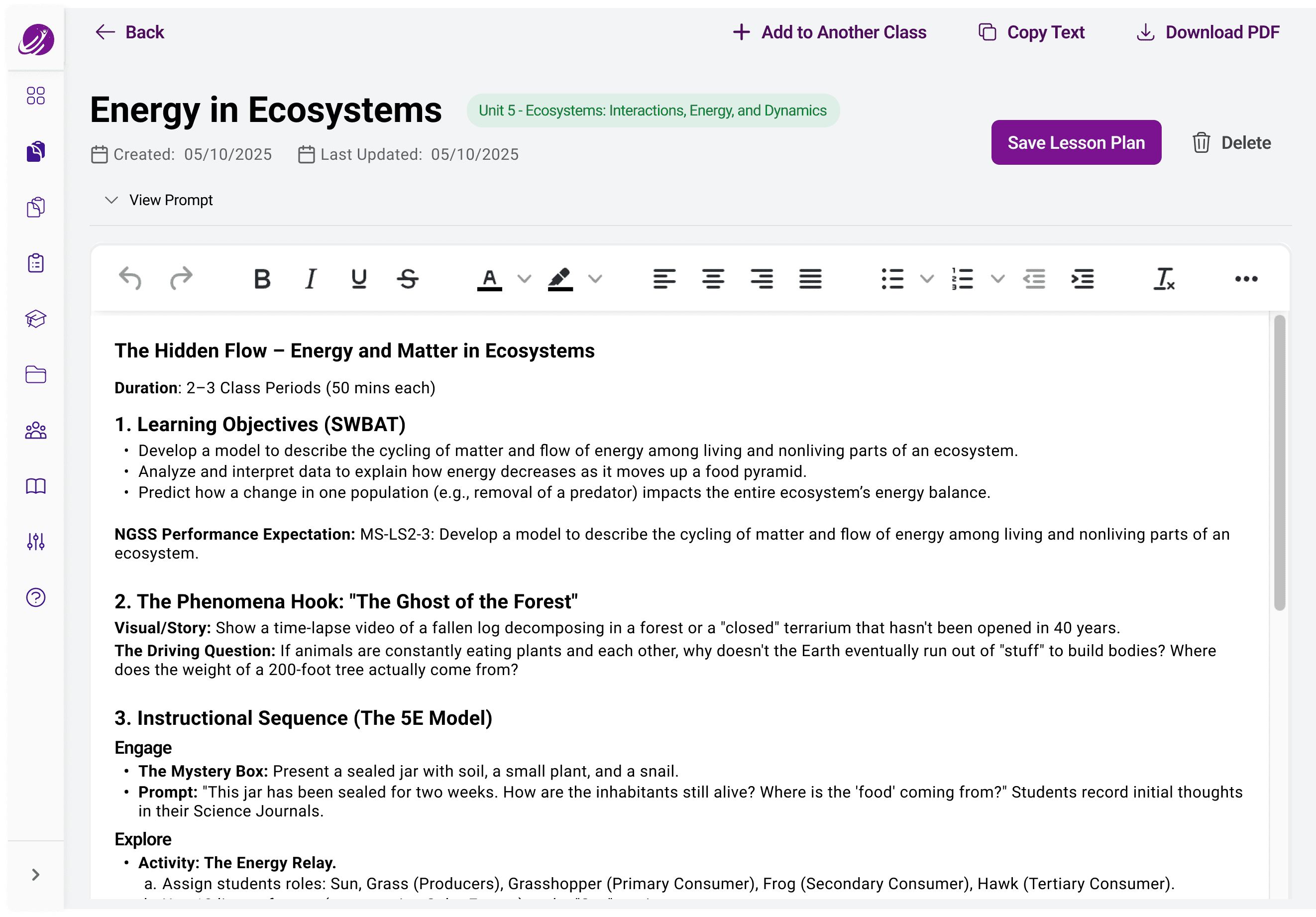
I designed a key, teacher-facing flow creating AI-powered lesson plans that go above and beyond a traditional LLM in terms of educational standards and teaching theory. I conducted a competitive audit and interviewed teachers to uncover pain points in their current lesson-planning process, which shaped features that supported deeper learning.
Role: UX research and design
Tools: Dovetail, Figma
Team: Solo designer with a founder & 2 developers
Timeline: 6 weeks (June - July 2025)
UX Research
AI Agentic Design
Internship
Desktop
PROBLEM
Anyone can make a lesson plan with AI, so how can we help teachers make AI-generated lesson plans they’ll actually use?
Heavy workloads and limited planning time are a leading cause of teacher burnout, and teachers need solutions that save time without sacrificing lesson plan quality.
AI-generated lesson plans may seem usable on first glance, but often require significant revision from teachers, especially when LLMs don’t know a teacher’s unique workflows.
Eduseek wanted to design a lesson generation experience where AI acted as a teaching partner, supporting personalization and enabling deeper, research-backed learning.
Interview Findings
I interviewed six teachers across grade levels and subjects to understand their lesson planning processes and current use of technology, and I created a research repository with Dovetail to analyze the findings.
#1
Teachers wanted more than just one-off lesson plans.
All of the teachers I interviewed mentioned use cases where they would like AI to help them plan longer-term projects or entire units.
#2
Multiple generations were often required.
Both teachers familiar and unfamiliar with AI refreshed or regenerated an lesson plan multiple times with the same prompt to find one they liked.
#3
Everything needed revisions and reformatting.
Even great AI-generated lesson plans needed to be edited, personalized, and/or reformatted into required templates, which frustrated teachers.
Competitive Benchmarking
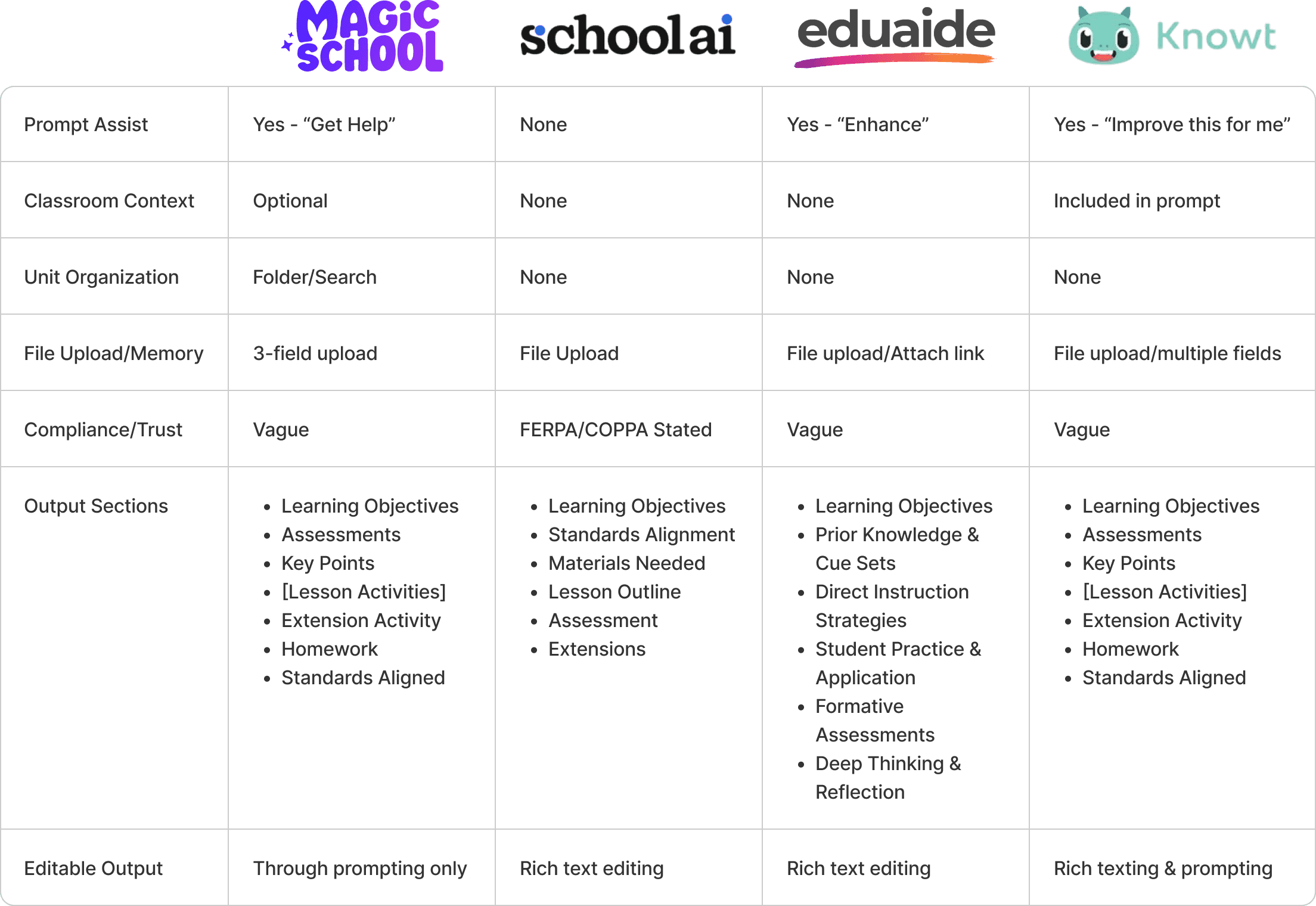
I tested the same prompt with EduSeek’s initial prototype and five other edtech platforms.
3 platforms offered a “prompt improvement” feature powered by AI, which helps users create more comprehensive prompts, likely increasing specificity and reducing the amount of regenerations needed.
I wanted to integrate a similar feature into Eduseek to help teachers, especially those with limited AI prompt writing experience.
My Solution
Teachers I spoke with said their ideal AI-generated lesson plan would be able to fully understand and implement their classroom context and teaching style. I designed a system to maximize personalization while limiting cognitive load.
Feature one
Prompt Optimization
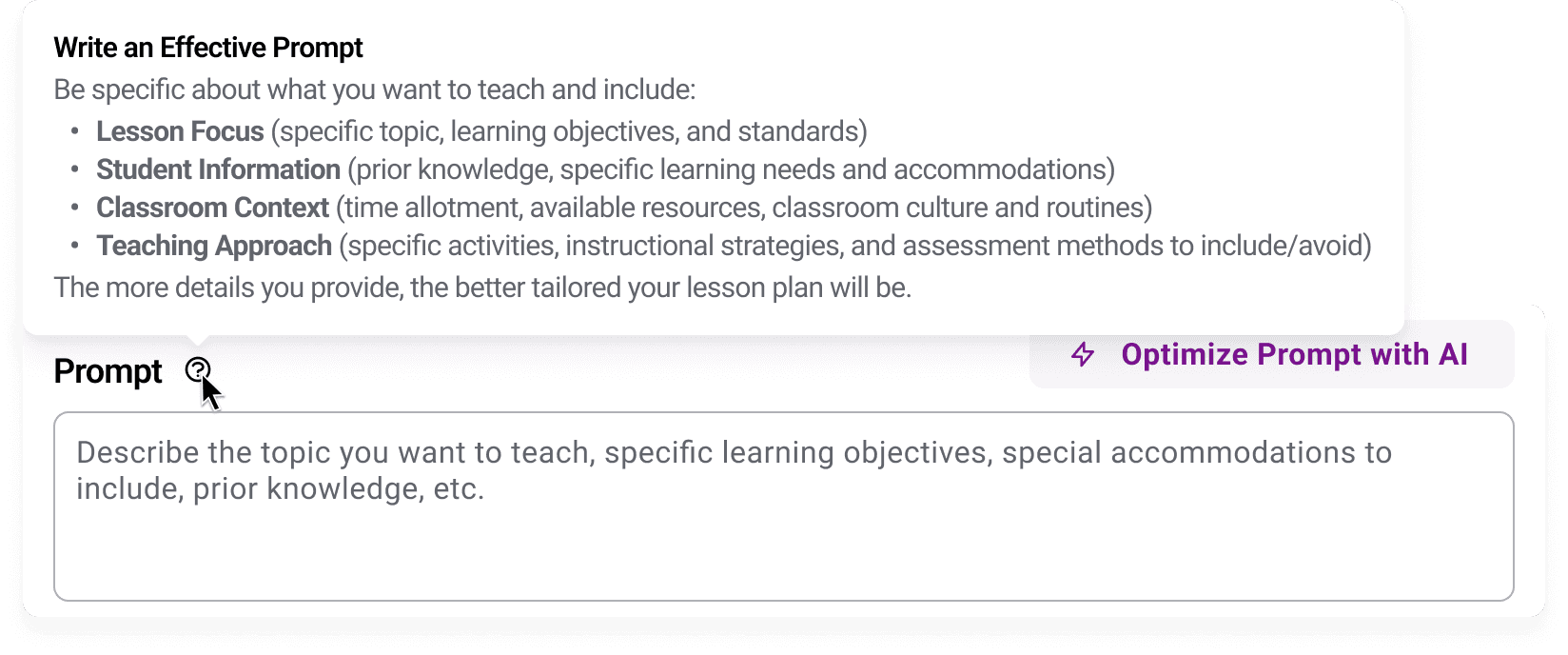
Tooltip informs teachers of key details to include like classroom context and teaching approach.
Optimize Prompt Button rewrites teacher-written information based on prompt-writing best practices
Why This Works:
By providing just-in-time scaffolding, the tool reduces the cognitive load of writing prompts. This ensures that teachers provide the necessary context, such as student prior knowledge and classroom environment, that help the AI generate pedagogically sound content on the first try, reducing the need for multiple regeneration attempts.
Feature two
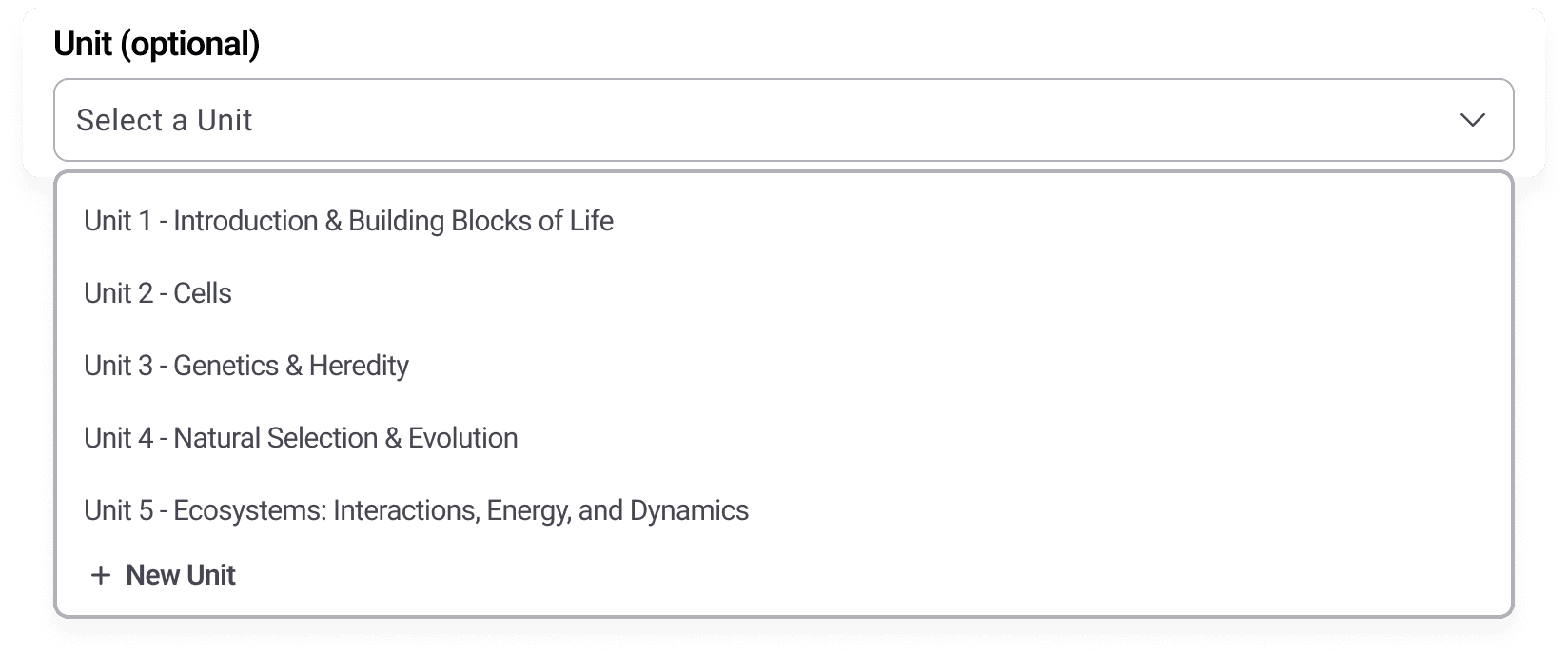
Organizing with Units
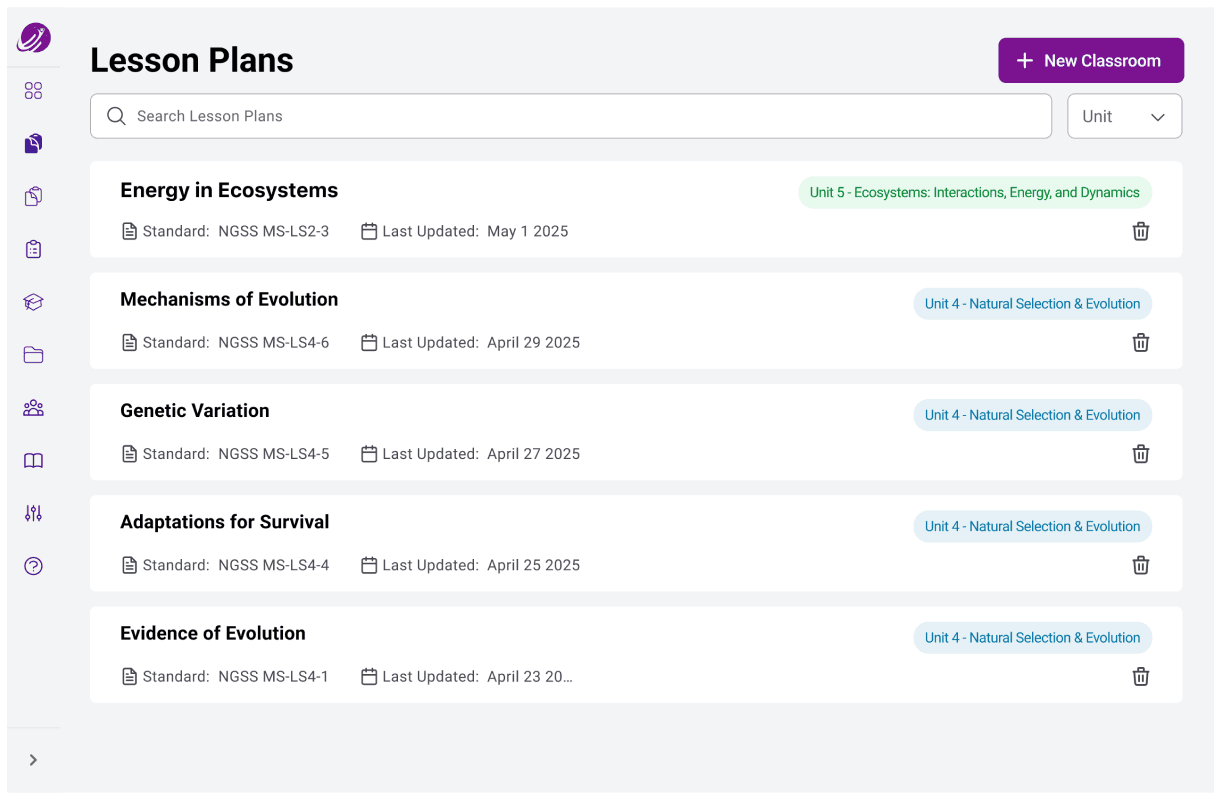
Teacher-created units help organize lessons so teachers can retrieve lessons easier and stay organized while planning units in advance.
Why This Works:
By organizing lessons into units, the system mirrors a teacher’s mental model of long-term instructional design, encouraging the idea that the lesson plan generator is a yearlong planning assistant and not a one-off tool.
Feature three
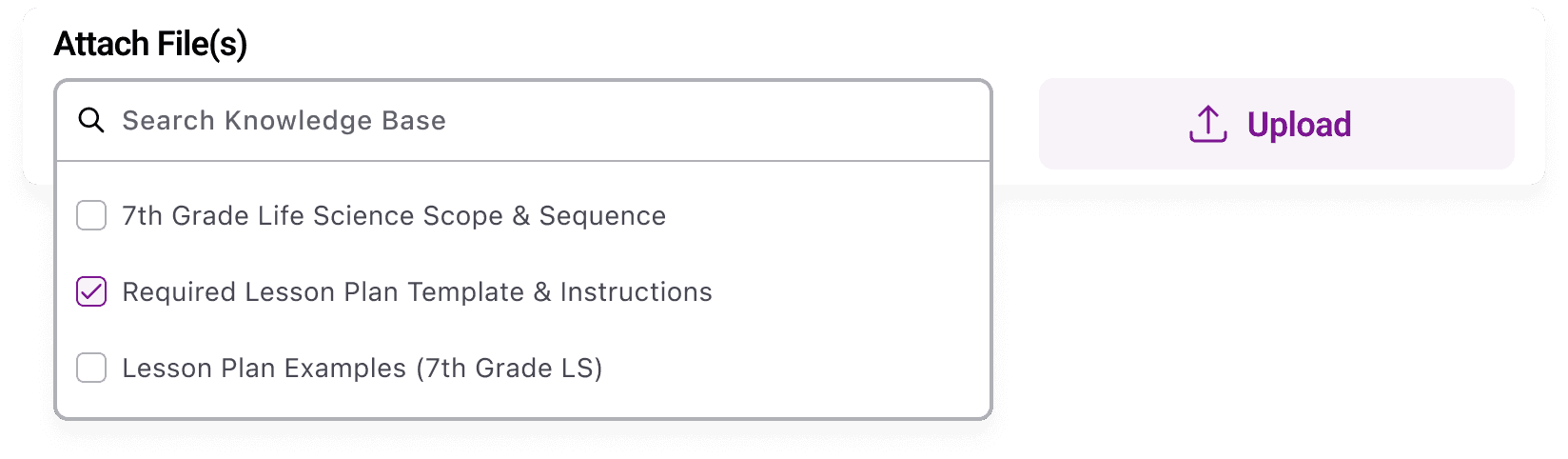
Knowledge Base
Attach files either from the teacher’s personal knowledge base or the school-wide database, like required lesson plan templates.
Upload files for one-off use, like an article or existing lesson plan to improve.
Why This Works:
Teachers needed to ground AI outputs with their own materials and school context. It addresses the "cold start" problem of AI by ensuring the generated content is context-aware, maintaining the teacher’s unique teaching style and requirements.
I conducted remote usability testing sessions with two of the teachers I interviewed.
Both teachers confirmed the value of the tool as a strong starting point.
One teacher who was very skeptical of AI emphasized that while revisions would still be necessary, the generated drafts would save them some setup time.
One teacher highlighted that their teaching style was highly uniform and structured, and having these routines stored in the Knowledge Base could significantly reduce repetitive planning effort.
As this was the first feature built as part of Eduseek’s MVP, my designs and processes helped establish key handoff workflows that were implemented across the larger design team.
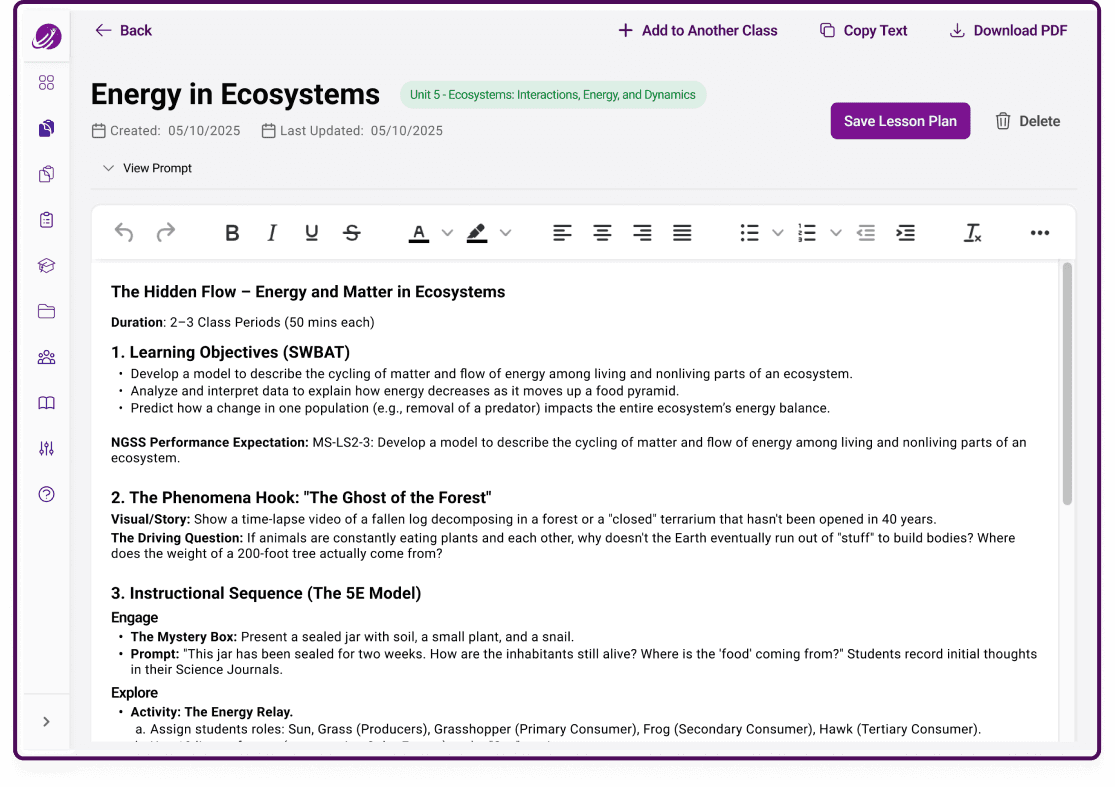
The lesson plan generator became one of the first features released in Eduseek AI’s pilot product.
It was showcased to teachers and administrators at ISTELive 2025, sparking strong interest in the platform.
The feature was tested during Eduseek’s pilot program which launched in fall 2025 with a select group of schools.
01
From Skepticism to Scaffolding: As a former teacher, I started the project with some skepticism. However, this project demonstrated that strong pedagogical guardrails can help AI establish a strong foundation for teachers’ expertise.
02
Neutralizing Researcher Bias: I intentionally recruited participants from a wide variety of subjects and grade levels to help me design for diverse teacher workflows, and not just my own experiences.
03
Transparency Matters When Designing for AI: The teachers I interviewed had a range of experience and comfort level using AI, and research revealed that trust is earned through control. My design made sure that the user felt empowered and in command of the output.